
Using Apple Home? You’re the perfect candidate for a Home Assistant upgrade
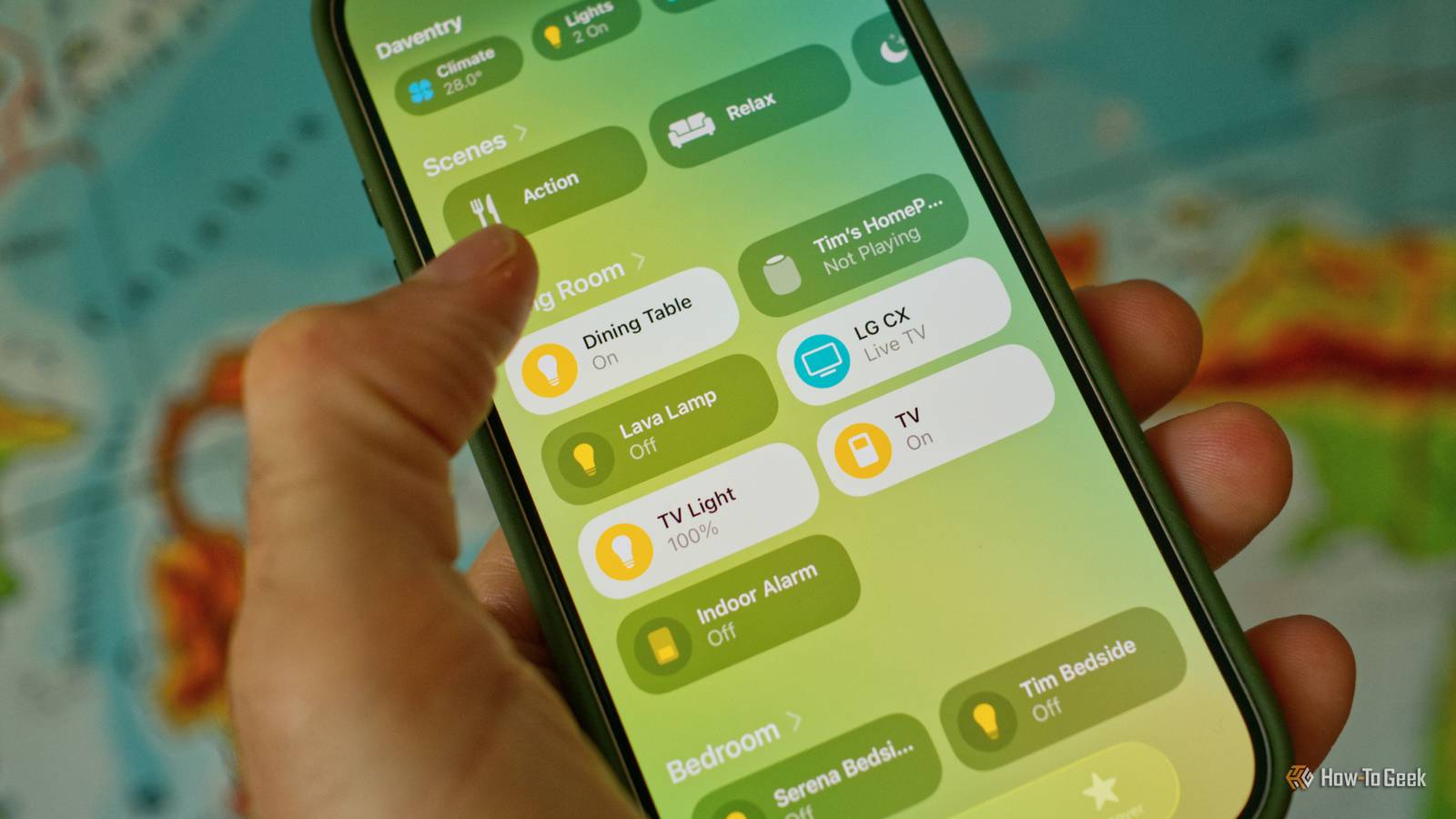
Apple Home is my favorite of the “big 4” proprietary smart home systems, with its focus on local control and tight integration with Apple’s devices. But it still pales in comparison to Home Assistant, a powerful open-source solution.
Good news! Moving from Apple Home to Home Assistant is relatively hassle-free. You don’t need a house full of new devices, nor do you need to give up the systems you know and love.
Why bother doing this?
Before I caught the Home Assistant bug, my intent was to build an Apple smart home. I already use an iPhone and a Mac, I have a HomePod, and my iCloud subscription entitles me to a few nice extras like cloud storage for cameras that doesn’t eat into my quota. I don’t much care for Siri, but I do respect Apple’s decision to build a smart home that doesn’t rely on the cloud for control.
The only thing that held me back was the range of accessories. This was before Apple committed to the cross-platform Matter standard. You’d need to buy accessories that had “Works with HomeKit” on the box, and these were both hard to come by and expensive (Apple’s over-the-top compliance requirements didn’t help).

Even now, Apple users are limited to a (slowly growing) number of Matter devices and manufacturers who have chosen to produce devices for its ecosystem. Some, like Belkin, have given up on this. By contrast, Home Assistant is a platform that exists to bring devices together from a broad range of manufacturers and ecosystems.
It’s a powerful and expansive platform. Automations can be so much more complex than they can be in the Apple Home app, with the option of adding conditions and using sensors or online services as part of your workflow. It’s also platform-agnostic, so any Android devices in your house won’t be left out in the cold.
For a small amount of hassle, you’ll gain a huge amount of functionality, compatibility with an absurd number of devices, and you don’t even have to give up on the platform you’re already used to.
Works with HomeKit? Works with Home Assistant
Home Assistant allows you to use smart home devices by way of integrations, which are essentially software modules. For example, with a radio like the ZBT-2 and the Zigbee Home Automation integration, you can use Zigbee devices. The same is true for Z-Wave devices with the right combination of hardware and software.
With the HomeKit Device integration, you can add devices designed specifically for use with Apple’s smart home platform, too. There’s no need to invest in a house full of new plugs, switches, and lightbulbs. You’ll just need to spend some time integrating those devices, which is something you’ll only need to do once.

Most HomeKit devices use Wi-Fi, but there’s support for all protocols, including Bluetooth and Thread, should you need them. You’ll need to find your HomeKit pairing code on each device, then use the HomeKit Device integration to add them one by one.
Most devices are supported, including alarms, climate sensors, door openers and window coverings, lights, locks, switches, sensors including contact and motion, fans, humidifiers, and more.
Control Home Assistant with the Apple Home app
The other upside to bringing your Apple smart home into Home Assistant is that you’ll be able to use the HomeKit Bridge integration to control your smart home with Apple’s Home app, just as you always have.

So Home Assistant runs the show in the background, while the HomeKit Bridge integration exposes your devices to Apple Home. Outside of providing user-friendly control of your smart home, this allows you use non-HomeKit devices with Apple Home.
My Apple Home app is populated almost entirely with IKEA Zigbee devices, none of which were ever designed to work with Apple’s platform. You can even install the Scrypted add-on in Home Assistant and use non-HomeKit-compliant video cameras with HomeKit Secure Video to get free video storage for security events.

In this scenario, Apple Home is essentially a shell that sits on top of Home Assistant for easy control. You can add other household members to Apple Home like normal, and they will be none the wiser that Home Assistant is in use. You can build scenes and automations in Apple Home too, if you want.
Lastly, you’ll also get remote access from anywhere as long as your Apple Home hub is logged into the same Apple Account as your iPhone or Mac. It’s the easiest way to control your Home Assistant home remotely.
How to get started
Home Assistant runs locally on a server inside your home network. There are all sorts of ways you can set up a Home Assistant server, with the easiest being the affordable Home Assistant Green. Alternatively, you can set up Home Assistant on an old Mac with a virtual machine, or use a Raspberry Pi, or whatever you have lying around.

- Dimensions (exterior)
-
4.41″L x 4.41″W x 1.26″H
- Weight
-
12 Ounces
Home Assistant Green is a pre-built hub directly from the Home Assistant team. It’s a plug-and-play solution that comes with everything you need to set up Home Assistant in your home without needing to install the software yourself.
Home Assistant is free with no ongoing costs. For best results, you should consider adding a wireless mesh radio like the ZBT-2 (for Thread or Zigbee) or the ZWA-2 (for Z-Wave) so that you can add more devices.

- Dimensions (exterior)
-
83x83x179mm
- Weight
-
157g
The Home Assistant Connect ZBT-2 supports both Zigbee and Thread, although it must be set up for use with either one of the two protocols. It offers 4x the responsiveness of the previous model, and is designed to be easy to open for modding, with accessible pins and pads.
But there’s no need to get ahead of yourself. I’d recommend just setting up Home Assistant and playing with it to see what the fuss is all about, until you’re happy to migrate.
If you decide to go all-in on Home Assistant, you might want to consider a Home Assistant Cloud subscription for benefits like cloud backup and to support the project.
link

:max_bytes(150000):strip_icc()/GettyImages-1220602415-869d569919b24829b21868f530a8207f.jpg "The 1980s Trend Designers Hope Never Comes Back")